


Developer Diary Week 10 – Bug Fixing, Txt Input, Link Automation, UE Marketplace, User Guide
- Jul 27, 2023
- 5 min read
After another week of progress, I have a few new updates to report! A lot of these are relating to the project’s ease of access and use, documentation, and bug-fixing, so I’m hoping this will greatly boost the general quality of life, as well as its user support.
To start, I began setting up a seller account on the Unreal Engine Marketplace. This would require a few days delay for verification, as I found out. In the meantime, I still had plenty of things to work on! With the validation going on in the background, I got to work on more of the progress I was planning to make within the project itself.
The grammar for gift, personality, and hobby parsing is similar to before, with the variable being set or subarray being added to being reliant on the prior name string specified. With this, all needed values can be specified via external file input! These files can similarly have portions copied and pasted as needed, with no larger class inheritance need to duplicate variables across different objects. After finalizing the grammar, I produced files for all hobby, personality, and gift collections. Now, all NPCs and relevant data are file derived, and I am incredibly happy with the opportunity this allows for different methods of implementation for this project!

After all the file parsing was working correctly, I continued looking into using paths relative to the content directory to find files instead of direct paths relative to the project’s location itself. When I had started file parsing last week, I was unable to find a means of doing this, as it appeared to rely on a decremented UE4 function. But with a bit more looking, I found that it was available to access from the FPaths::ProjectContentDir() function. Specification of direct paths seemed incredibly inconvenient to work with in larger, exported projects or games, so I am glad that I got rid of that need in favor of relative paths!
Additionally, as mentioned last week, I wanted there to be the ability to automate actor link setup for beds, workstations, hobbies, and jobs. A major issue that I encountered in previous weeks was forgetting to setup one or two of them for an individual actor, and it was starting to become a chore. Because of this, I implemented a system where instead, a string can be specified within the villager that specifies the tag of the target actor. This way, they can be simply dragged and dropped in with their other necessary actors, and each link is automatically set up for them when the simulation begins!

I was able to set up the actor link automation with some fairly simple logic inside the base blueprint actor for NPC villagers. It searches for actors with the tag (or tags) specified if the Boolean corresponding to the automation is true. It does this for hobbies, job, and bed actors. The job actor has similar logic that will search for a workstation with a corresponding tag if its Boolean specifies to do so. This automation makes setup a lot less time consuming and error prone, so I am glad it’s in place!

I also mentioned that there was more work I wanted to do with making the project user-accessible. A lot of this is, as always, clear documentation. I created a basic readme file this week which provides a link to a guide post on my blog, including basic guides for building block setup, a project overview, and how it can be used and extended! This takes a much more specific, instructional approach than these weekly blog posts which outline my work in a more generic sense. I think of the readme and the guide post as a sort of “instruction manual” for how the project is intended for use. The post itself is still under development, but I am happy with the progress I have made so far!
However, this user guide of course took quite a bit of time, as do these weekly posts. Because of this, I wasn’t able to make progress on some other work I had planned for this week, particularly an alternate, graphical, NPC creator application to generate text files for each NPC. Despite this, I think that it was time well spent. It’s important to dedicate the appropriate time to documentation since the most advanced tool in the world could still be useless without providing information necessary to understand it. I want documentation to be a focus of this project, especially with how many distinct systems it has in place, since I’ve had many experiences struggling with understanding tools that lack such support.

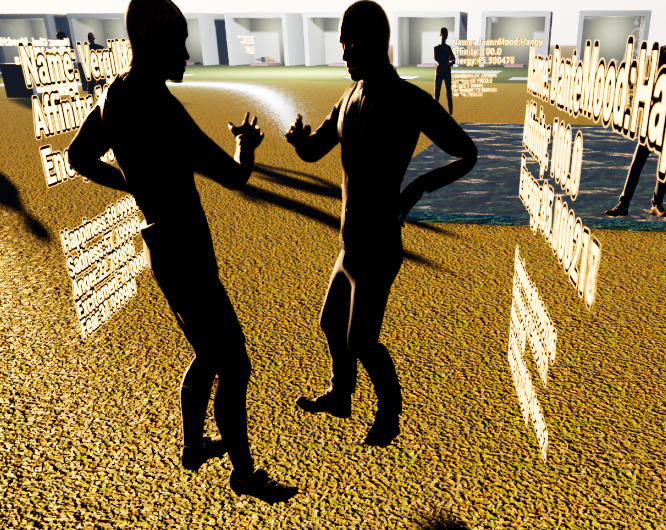
After all of this work, it was time for a bit of bug-fixing. One bug that had been bothering me was that on occasion, a villager would try to talk to one that was already in the middle of a conversation. After the initial conversation ended, the villager would keep standing there talking for some time. I was able to fix this by implementing an additional check to make sure a villager can only start a conversation with one that is not enroute to a conversation with a different NPC.

A day after beginning marketplace setup, I had my Unreal Engine Marketplace account approved! It is now configured and ready for my use when the project is able to be made available. This would require the project to be set up fully as a plug-in, which is something that I would love to achieve.
However, it is a process that will require work. It is still something that I am planning to implement, but unfortunately, it is not something that is feasible for this week of development with all the other implementation, commenting, and organization that I wanted to get done. When it is available as a plugin, I want it to be as clear, easy to use, and well-documented as possible, so I don’t want to rush it. But this doesn’t mean I didn’t spend some time looking into where to start.

Unreal Engine itself provides a mechanism to create plugins, as well as documentation on how it may be done, at the link https://docs.unrealengine.com/5.1/en-US/plugins-in-unreal-engine/#creatingnewplugins. Unfortunately, this link does seem to be dated for UE 4, so I may need to do more research on whether or not the steps still apply to UE 5.1. Looking into final submission, I found a free to use plugin that adds a tool menu to build and package a user-created plugin, available at the link https://www.unrealengine.com/marketplace/en-US/product/pluginbuilder. I plan to use it when I have everything fully documented and sorted in the most usable format possible.
The project has ended up being a lot more intricate than I had initially envisioned! The system itself is something I find fun to play with, and I can see even at a glance a variety of different paths to take it. But for the time being, I need to take a break from its active development. But I would like to make it clear that this is not the end of my plans for it at all. I would love to hear your thoughts for what would best benefit the project, and look forward to returning to new feature development after a bit of rest!
Thank you for reading these updates, it means a lot to know that I can use my work to help others in the game development professional or hobbyist fields. For now, I would like to provide a link to the project’s GitHub repository once again, in case you’d like to check it out and experiment with the system yourself. I hope that you all look forward to seeing how it further expands over time!
Github Link: https://github.com/grist-maker/NPCVillagers
